Why Your Practice Needs a Secure Client Portal
In today’s digital world, clients expect seamless and secure access to their information. Practices without a secure client portal often face inefficiencies, lost documents, and miscommunication. A client portal centralizes communication, scheduling, billing, and document sharing in one secure platform. It ensures sensitive data is protected while making processes smoother for both staff and clients. Modern practices are increasingly adopting portals to meet these demands. Implementing a portal is no longer optional; it is essential for client satisfaction and operational success.
What Is a Secure Client Portal?
A secure client portal is an online platform that allows clients to access services and information safely. Its security comes from encryption, secure login credentials, and multi-factor authentication. Core functionalities include viewing documents, messaging the practice, scheduling appointments, and making payments. It centralizes client interactions in one place, reducing confusion and errors. Secure portals also help practices comply with regulations such as HIPAA in healthcare or GDPR in other sectors. Overall, it’s a tool that combines convenience with safety for both clients and staff.
Why Your Practice Needs a Secure Client Portal
Implementing a client portal is crucial for modern practices. It not only secures sensitive client information but also streamlines communication and administrative tasks. Clients expect easy access to their records and smooth interactions with service providers. A portal helps reduce the risk of lost documents and miscommunication. It also demonstrates professionalism, building trust with clients. Ultimately, adopting a secure client portal positions your practice as efficient, reliable, and client-focused.
Benefits of a Secure Client Portal
Enhanced Data Security
Data security is the top priority for any practice handling sensitive information. Secure client portals use encryption and authentication to prevent unauthorized access. They reduce the risk of data breaches and comply with legal regulations like HIPAA. Staff and clients can feel confident that personal and financial information is safe. Regular updates and monitoring enhance protection even further. By prioritizing security, practices build credibility and client trust.
Improved Client Communication
A client portal centralizes communication, allowing messages and documents to be shared securely. Clients can access updates, test results, or invoices anytime without relying on phone calls or emails. Notifications and reminders reduce missed appointments and miscommunication. Staff can respond efficiently while keeping records organized. This accessibility creates a more transparent experience for clients. It also strengthens relationships by keeping communication timely and consistent.
Streamlined Administrative Processes
Portals automate many administrative tasks, saving staff time and reducing errors. Appointment scheduling, billing, and document management become more efficient. Paperwork is minimized, and clients can complete tasks online without visiting the office. Staff can focus on providing better service rather than handling repetitive tasks. Automation leads to faster workflows and improved operational efficiency. Overall, the practice runs smoother and more professionally.
Increased Client Satisfaction and Trust
Clients appreciate the convenience of accessing services online securely. Portals demonstrate that a practice values transparency, professionalism, and client care. Easy access to records and timely communication fosters loyalty and trust. Clients are more likely to stay with a practice that simplifies their experience. Positive experiences lead to higher retention rates and referrals. A secure portal can become a key differentiator in a competitive industry.
Key Features to Look for in a Client Portal
When choosing a portal, focus on security, usability, and relevant features. Secure login, multi-factor authentication, and encryption are essential. Features like appointment scheduling, reminders, secure document sharing, and billing integration improve functionality. A mobile-friendly design ensures clients can access the portal from any device. Easy-to-use navigation encourages adoption and reduces confusion. Choosing a portal with strong support and customization options ensures it fits your practice’s unique needs.
Security Features
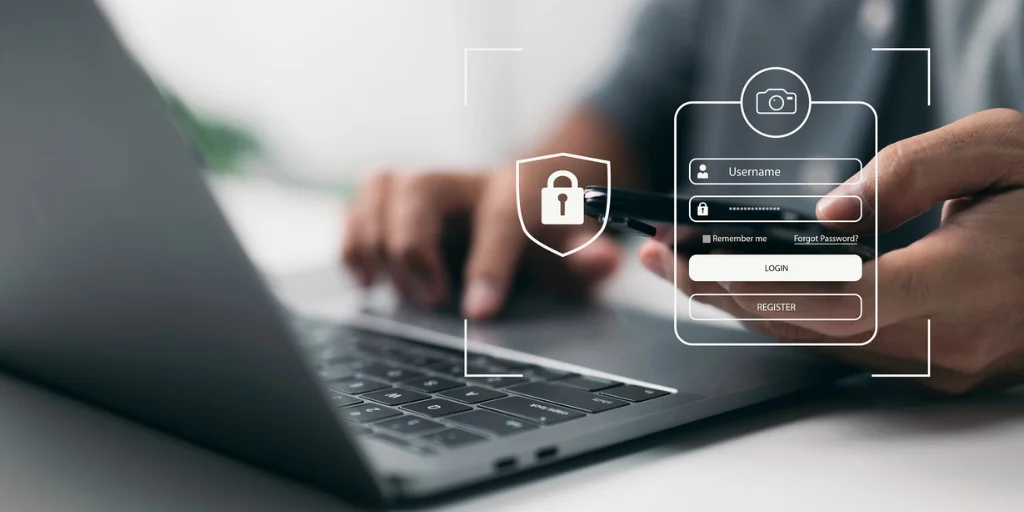
Security is the backbone of any client portal. Look for portals that offer secure login options such as unique usernames and strong passwords. Multi-factor authentication (MFA) adds an extra layer of protection, requiring a second verification step such as a text code or authentication app. Encryption, both in transit and at rest, ensures that sensitive client data, including personal information, health records, or financial details, is protected from unauthorized access. A secure portal not only safeguards client information but also helps your practice stay compliant with privacy regulations like HIPAA or GDPR.
Usability and Navigation
A client portal is only effective if your clients can use it easily. Focus on a portal with intuitive navigation, clearly labeled menus, and a logical layout. Features should be easy to find, and common tasks such as booking an appointment, uploading documents, or checking invoices should require minimal clicks. A clean interface reduces confusion and encourages clients to use the portal regularly. Portals with customizable dashboards allow clients to quickly access their most important features at a glance.
Appointment Scheduling and Reminders
Modern client portals often include appointment scheduling functionality. This allows clients to view available slots, book sessions, and even reschedule without calling the office. Automated reminders via email or SMS reduce no-shows and improve efficiency. Some portals allow syncing with calendars, giving clients real-time availability updates. These features enhance the client experience while reducing administrative workload for your practice.
Secure Document Sharing
The ability to upload and download documents securely is essential, especially for practices handling sensitive information such as medical records, contracts, or financial forms. A good portal ensures that all files are encrypted during transfer and storage. It should allow easy sharing between clients and staff while maintaining strict access controls. Version history and notifications for new documents can further streamline communication and record-keeping.
Billing and Payment Integration
A robust client portal can simplify your practice’s billing and payment processes. Clients should be able to view invoices, pay online, and track their payment history. Integration with your accounting or billing software reduces manual work and improves accuracy. Secure payment gateways protect sensitive financial data, giving clients confidence to handle transactions digitally.
Mobile-Friendly Design
Clients expect to access portals from their smartphones, tablets, or desktops. A responsive, mobile-friendly design ensures that all features booking, document sharing, payments work smoothly across devices. Mobile accessibility increases convenience for clients on the go and improves overall engagement with your portal.
Support and Customization Options
No two practices are exactly the same. Look for a portal that offers strong customer support, including tutorials, live chat, or phone assistance. Customization options allow you to tailor the portal to your branding, workflow, and specific service needs. Customizable dashboards, feature access controls, and personalized notifications help the portal fit seamlessly into your practice’s operations.
How to Implement a Secure Client Portal
Implementation starts with assessing your practice’s needs and choosing appropriate software. Staff training is crucial to ensure everyone uses the portal effectively. Educate clients on accessing and navigating the system securely. Regular maintenance and updates maintain security and performance. Integrate the portal with existing practice management systems to avoid workflow disruptions. By following these steps, the portal becomes a valuable asset rather than a challenge.
Common Concerns and How to Address Them
Some practices hesitate due to perceived complexity or cost. Clients may worry about usability, but user-friendly designs solve this problem. Initial investment can seem high, but long-term efficiency and reduced errors offset costs. Data migration may appear challenging; choosing a portal with support services ensures smooth transitions. Security concerns are addressed through encryption, updates, and monitoring. By tackling these issues proactively, the benefits of a portal outweigh the concerns.
Why Choose Practice PA for Your Client Portal
Advanced Security and Data Protection
Practice PA prioritizes security with multi-factor authentication, advanced encryption, and secure data storage. Sensitive client information, including personal and financial data, is fully protected from unauthorized access. This ensures compliance with privacy regulations and gives both staff and clients peace of mind.
User-Friendly Interface for Staff and Clients
The portal is designed with intuitive navigation, making it easy for staff to manage administrative tasks like appointments, billing, and document sharing. Clients also enjoy a simple interface to view records, make payments, and communicate, ensuring a smooth experience for everyone.
Efficient Administrative Management
Practice PA streamlines practice operations by centralizing tasks such as scheduling, reminders, billing, and document management. Automation reduces errors, saves time, and allows staff to focus more on client care rather than paperwork.
Convenient 24/7 Client Access
Clients can access their accounts anytime, from any device, to check records, send messages, or make payments. This always-on accessibility enhances client satisfaction, builds trust, and improves communication between clients and staff.
Seamless Integration with Existing Systems
The portal integrates smoothly with your current practice management software, reducing implementation hassle. Customizable features allow the system to adapt to your practice’s workflow, ensuring minimal disruption and maximum efficiency.
Demonstrates Professionalism and Client Care
By offering a secure, efficient, and modern portal, your practice signals a commitment to high-quality service and client satisfaction. Practice PA helps establish your business as professional, trustworthy, and client-focused.
Other Articles You Might Enjoy
- How to Manage 100+ Accounting Clients Without Spreadsheets
-
Importance of Companies House Synchronisation for Accounting Practices
-
Why Practice Management Software Is Essential for UK Accounting Firms
Conclusion
A secure client portal is essential for modern practices seeking efficiency, security, and client satisfaction. It centralizes communication, protects sensitive data, and simplifies administrative tasks. Clients enjoy convenient access and transparent interactions, enhancing trust and loyalty. Practices benefit from streamlined workflows and reduced operational stress. Investing in a portal demonstrates professionalism and commitment to client care. Adopting one is not just a technological upgrade it’s a strategic step toward a more efficient and client-focused practice.
FAQs
What is a client portal?
An online platform allowing clients secure access to documents, communication, and services.
Is a client portal safe for sensitive information?
Yes, it uses encryption and multi-factor authentication for protection.
Can clients schedule appointments online?
Most portals offer easy scheduling with automated reminders.
How does a portal improve administrative efficiency?
It automates tasks like billing, document sharing, and appointment management.
Do clients really use the portal?
Yes, it provides convenience, timely updates, and improves overall client satisfaction.